


Radarbot: Radar Detector, GPS
4.14.74K Reviews
App Specs
- Version
- Varies with Device
- Updated On
- License
- Free
- Downloads
- 50,000,000+
- Developer
- Radarbot Company
- Categories
- Maps & Navigation
- Platform
- Android
Screenshots
 Analysis by AppCompare
Before your first drive, it helps to think of Radarbot: Radar Detector, GPS as a road-awareness aid rather than a substitute for paying attention or following the posted limit. I find that distinction reassuring: the point is to get useful prompts while keeping my focus on the road, not to drive by watching a screen. If you’re new to this kind of app, the most satisfying first outing is a familiar route where you can learn how alerts sound and feel without also figuring out unfamiliar turns.
What to expect from a dedicated alert app
Radarbot is a free maps and navigation app from Radarbot Company, built around speed-camera alerts and navigation. It has a 4.1 average from around 619,000 ratings, and more than 50 million installs, so it’s a well-established option rather than an obscure utility. The age rating is Everyone. Those figures tell me it has broad appeal, but they don’t guarantee that every alert will be useful on every road; I’d still treat prompts as assistance, not certainty.
It also helps to separate its role from that of a general-purpose navigation app. A conventional map app is usually the tool I open when I need directions or want to compare routes. Radarbot’s appeal is the added attention to speed-camera and radar warnings. If your regular navigation already gives you everything you need, adding another app may not improve your routine. If alerts are the part you care about most, a dedicated companion can make more sense.
Guides and Analysis on Radarbot: Radar Detector, GPS
A calm first setup and a useful first drive
When you install it, start by opening the app before setting off and giving yourself a moment to understand the display and alert options. The original experience is described as simple to navigate, and that matters most when you are not trying to learn controls at a junction. Check whether you prefer sound, vibration, or visual prompts, then choose a setup you can recognize without looking down. If you are unsure, keep the arrangement straightforward for the first trip rather than changing several things at once.
For a first meaningful test, choose a route you already know and drive it at a quiet time. You can notice how an alert arrives, whether its sound is clear in your car, and whether the screen is easy to ignore while you concentrate. This is a better way to build confidence than opening the app for the first time on a long trip through unfamiliar streets. A phone mount can help you keep any glance brief, but the safest habit is still to listen and keep your eyes on the road.
One practical question is whether you need to use Radarbot instead of your usual navigation. I’d decide based on the job at hand: use a familiar map app when turn-by-turn directions are the priority, and consider Radarbot when camera awareness is the reason you reached for your phone. Before combining apps, try the arrangement while parked and check that their sounds do not compete. If the prompts become confusing, simplify the setup; more alerts are not automatically more helpful.
Getting Started with Radarbot
Setting up Radarbot is a breeze. Once you download it from the Play Store or App Store, you're up and running in no time. The app has a simple, user-friendly interface that even my tech-challenged friends could navigate. It integrates smoothly with your phone's GPS, so you don't need to fiddle with any complicated settings.
Worth Reading Before You Choose

Baby Panda World Brings Quick Play to Modern Phones, but Its Game Library Feels Busy

ESPN’s Live Game View Makes Following Close Games Easier

QuizzLand Review: A Good Fit for Short Trivia Breaks, Not Every Player

Basketball Stars: Multiplayer Is Fast, but Can It Recover When Matches Go Wrong?

WEBTOON Turns Phone Updates Into a Better Reading Routine

Link to Windows Runs on Shared Habits, Not Social Feeds
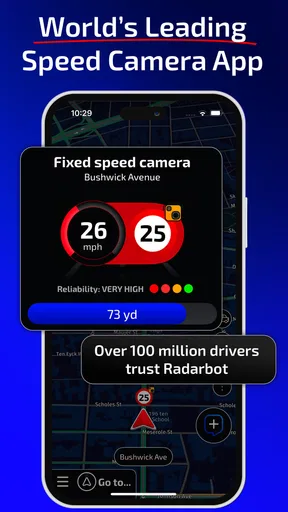
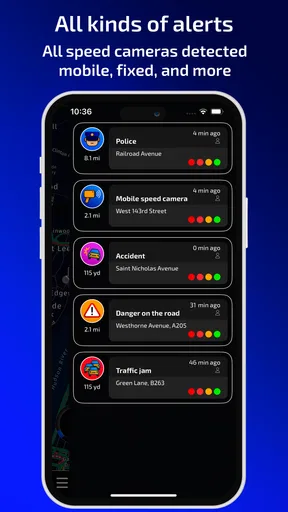
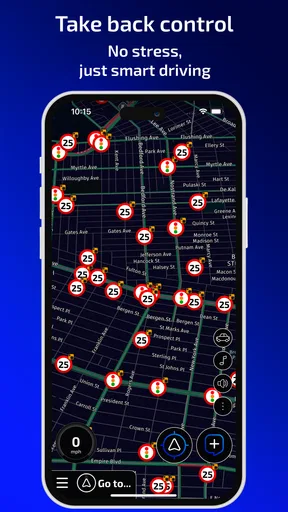
Once installed, Radarbot offers real-time alerts about speed cameras, red light cameras, and mobile radars. It even gives you updates about traffic jams and speed limits. The app's community feature is pretty cool too; it lets users report radar locations, which are then shared with everyone. It's like having a network of vigilant drivers looking out for you.
Features That Stand Out
One of the first things I noticed was the app's accuracy. It offers precise alerts thanks to its database of radars, which is updated daily. Plus, you can customize the alerts to your liking—choose the type of notifications you want, whether it's a sound, a vibration, or a pop-up. You can even set it to silent mode if you prefer a more discreet approach.
To get more from those options, I’d change one setting at a time and try it on an ordinary drive. A spoken or audible cue may suit a noisy road, while vibration can be less intrusive in a quiet car; a visual pop-up is easiest to miss if you keep your eyes where they belong. Silent mode may be appropriate when sound would be unwelcome, but it also removes an audio cue you might otherwise notice. The best choice is the one that keeps alerts understandable without encouraging you to check the display.
Community reports bring a useful human element, but they also come with a trade-off: a report depends on someone noticing and sharing a location. I wouldn’t assume every mobile radar will be reported, or that a reported point is a reason to change speed abruptly. Use the information as a prompt to stay attentive and observe the road signs. This is especially important when a route is unfamiliar or conditions have changed since another driver passed through.
The app is most appealing to people who drive regularly and want a dedicated reminder layer, such as commuters who use the same roads, people making frequent regional trips, or drivers who want speed information visible alongside alerts. It may be less suitable if you rarely drive, dislike audio prompts, or already have a navigation setup that covers your needs without distraction. If you mainly want directions, a standard navigation app is likely the simpler choice; Radarbot is worth considering when radar awareness is the specific gap you want to address.
The app also has a speedometer function that tells you your real-time speed. It's super handy when you’re trying to stay under the speed limit but your car’s speedometer is a bit off.
I’d use that speed readout as a helpful comparison, not as permission to drive right at a limit. Your attention should remain on the road and the posted signs, and speed can change quickly with traffic, weather, or roadworks. A sensible routine is to check the display before moving, then rely on the alerts and your own observation rather than repeatedly looking down to compare numbers.
Another feature I love is the battery-saving mode, which ensures the app doesn't drain your phone's juice while you're on a long drive. It’s a thoughtful touch that shows the developers have really considered the practicalities of everyday use.
For a longer journey, I’d still begin with a charged phone and avoid leaving the screen brighter than necessary. Battery-saving mode is useful when you want the app running for an extended drive, but it doesn’t remove the everyday trade-off of using GPS on a phone. If you’re heading out for hours, think through your charging arrangement before leaving rather than trying to solve it while driving. That small bit of preparation makes an alert tool easier to use without turning battery anxiety into another distraction.
On the Road Experience
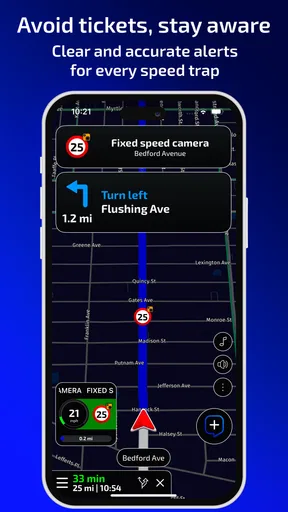
Using Radarbot on the road was a game-changer for me. The app gives you a heads-up about speed cameras well before you reach them, allowing ample time to adjust your speed. It’s like having a superpower, letting you drive with confidence without constantly worrying about unexpected tickets.
A realistic use is the weekday commute: I can start the app before leaving, settle into the route, and let its prompts serve as reminders while I watch traffic and signs. On a familiar road, that can reduce the urge to scan every roadside object anxiously. On a new route, I’d be more cautious about relying on a warning alone, because road layouts and limits still need my attention. In either case, the useful response to an alert is calm and lawful driving—not a sudden brake or a glance that lasts too long.
Radarbot’s reported traffic updates can also matter when a normal drive turns into a slow one. If traffic is building, I’d consider whether the route actually needs changing before following a reroute; a detour can look shorter on a screen without being easier in real conditions. That is where a general navigation app may still be the better tool, especially when I need to compare directions. I see the two roles as complementary only when their alerts remain clear and manageable.
I was pleasantly surprised by how non-intrusive the alerts were. They didn’t distract me from driving, which is crucial when you’re navigating busy streets or highways. The real-time updates about traffic jams were also spot on, helping me reroute and save time.
One point worth getting right before a trip is the legal context. The app presents itself as a legal way to receive alerts, but rules on radar-warning tools can differ between places and may change. If you are crossing a border or driving somewhere you do not know well, check the local rules rather than assuming the same use is allowed everywhere. I would also avoid treating any app as a way to evade enforcement; its sensible role is helping me stay aware and drive within the rules.
Common points of confusion and sensible limits
New users may wonder whether an alert means a camera is definitely present right now. I wouldn’t read it that way. The app combines a radar database with driver reports, and those sources serve different purposes: a listed location can be a fixed point, while a community report reflects what another driver has shared. Treat either as a reminder to check your speed and surroundings, not as a guarantee about what is ahead.
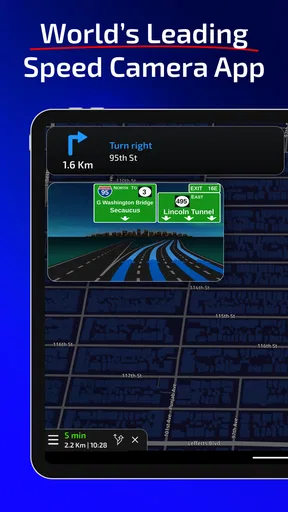
Another possible confusion is expecting every navigation detail to behave like a full route-planning system. Radarbot includes navigation and traffic information, but its particular strength is the alert-focused experience. If you need detailed route choices, prefer the navigation tool you already know and use Radarbot only if it fits comfortably alongside it. If you find yourself juggling screens or competing audio prompts, that setup is not helping; simplify it or return to one app.
The app is free to download, with in-app purchases ranging from $1.99 to $79.99 per item. I’d try the free experience first and decide whether it fits my driving before paying for anything. There is no reason to purchase simply because an option is presented: the right choice depends on whether the features you actually use make the cost worthwhile. Keeping the app on the phone is also a personal decision; if you only drive occasionally and your usual navigation already covers your needs, you may prefer not to add another tool.
For a first-time user, my next step would be modest: install it while parked, review the alert choices, and test the setup on a short familiar journey. After that, decide whether the prompts are clear enough to keep and whether they add something your normal navigation lacks. Radarbot has been available since March 8, 2016, and its long-running presence gives it an established place in the category, but the best test is still whether it suits your own routes and habits.
Who will get the most from it
I’d recommend Radarbot most readily to drivers who travel often, are comfortable using phone-based guidance, and want speed-camera awareness as a distinct part of their routine. It can be particularly useful when a commute includes roads where alerts help you stay mindful of changing conditions. Someone who wants only a map, drives infrequently, or finds phone notifications distracting may be happier sticking with their current navigation setup. For me, the deciding factor is not how many alerts an app can deliver, but whether its prompts make a drive calmer without taking attention away from safe driving.
Wrapping It Up
All in all, Radarbot is a must-have for anyone who spends a lot of time driving. It not only helps you avoid fines but also enhances your driving experience by keeping you informed about your surroundings. The seamless integration with GPS and the community-driven updates make it a reliable partner on the road.
So, if you're tired of unexpected radar traps and want to drive with peace of mind, give Radarbot a try. It's like having an extra pair of eyes on the road, and who wouldn't want that?
Pros
- Real-time radar alerts enhance safety.
- User-friendly interface for easy navigation.
- Customizable alerts for specific needs.
- Battery-saving mode extends phone life.
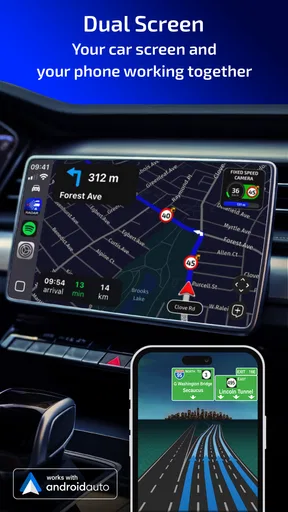
- Integrates seamlessly with other navigation apps.
Cons
- May require premium for full features.
- Occasional false alerts can be distracting.
- Needs constant GPS for accurate tracking.
- Limited support in some rural areas.
- Ads can be intrusive in the free version.
FAQs for Radarbot: Radar Detector, GPS
What features does Radarbot offer for speed camera detection?
Radarbot provides real-time alerts for speed cameras, traffic light cameras, and mobile radars. It uses GPS technology to update you on the location of these hazards, ensuring you can drive safely and avoid fines. The app also includes voice alerts and integrates with other navigation apps for added convenience.
Is Radarbot legal to use in all regions?
The legality of using radar detection apps like Radarbot varies by region. In some areas, it is completely legal, while in others, using such apps could lead to fines or legal issues. It's important to check the local laws regarding radar detectors and GPS apps in your location before using Radarbot.
Does Radarbot require an internet connection to function?
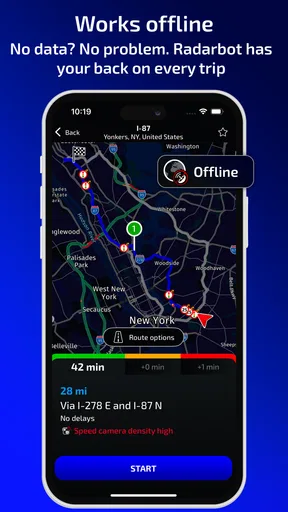
Radarbot can work offline, but certain features, like real-time traffic updates and community alerts, require an internet connection. Offline mode will still provide basic functionality using pre-downloaded maps and database, though the experience may not be as comprehensive without connectivity.
How accurate is Radarbot in detecting speed cameras?
Radarbot is known for its high accuracy in detecting speed cameras, thanks to its extensive database and community-driven updates. However, accuracy can vary depending on the region and the frequency of updates. Regular updates and community contributions help maintain its reliability.
Can Radarbot be customized to suit individual preferences?
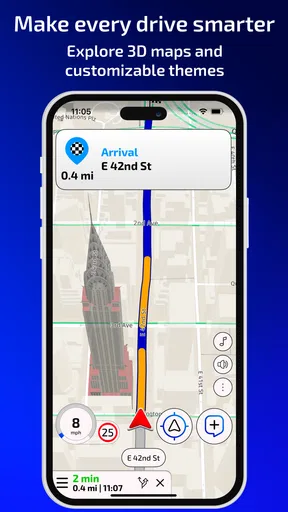
Yes, Radarbot offers a range of customization options, including alert preferences, notification sounds, and visual themes. Users can tailor these settings to suit their driving habits and personal preferences, providing a more personalized and user-friendly experience.


